Safer, Smarter, Simpler
Reframing HMI for the Software-Defined Vehicle Era
A human-centered HMI concept that restructures control access, task depth, and system feedback to reduce complexity across the in-car experience.
PROJECT OVERVIEW
As vehicles become software-defined systems, HMI is no longer just an interface layer, but a direct driver of safety, usability, and in-car experience.
The modern vehicle is shifting from a mechanically defined product to a connected, continuously updated digital system. As intelligent features, real-time status layers, and cross-module services continue to grow, the in-car interface takes on a more direct role in how drivers access information, complete tasks, and maintain attention in motion.
This project explores how an EV cockpit can be reorganised around clearer control access, shallower task paths, and more legible system feedback. Through user research, structural design, and high-fidelity prototyping, it proposes a human-centered HMI system that reduces complexity while supporting safer, more intuitive, and more coherent interaction across the in-car experience.
PROJECT BACKGROUND
The Shift to Digital & Connected Ecosystems
The fundamental purpose of the car has changed. No longer just a means of getting from A to B, it has evolved into a mobile digital hub. For today's 'digital natives', an immersive, responsive, and engaging in-car experience is not a luxury—it's an expectation. Consumers now seek a seamless, integrated extension of their hyper-connected lives.
Beyond Infotainment: The Rise of the Smart Cockpit
Modern consumers demand far more than just a 'phone on wheels'. As the vehicle's role as a 'third space' grows, recent studies confirm that comprehensive and personalized in-car entertainment is highly valued. Furthermore, Advanced Driver-Assistance Systems (ADAS) are now considered essential, and robust connectivity is a key factor influencing purchasing decisions.
A New Frontier for Brand Differentiation
In a fiercely competitive automotive market, the in-car experience has become a primary tool for brand differentiation. A thoughtfully designed Smart Cockpit allows manufacturers to attract and retain customers by delivering a unique blend of advanced technology, premium materials, and a distinctive design language, thereby strengthening their competitive edge.
KEY CHALLENGES
LITERATURE REVIEW & THEORETICAL FRAMEWORK
Designing an HMI for an intelligent vehicle is a complex, interdisciplinary challenge that extends far beyond simple aesthetics. It operates at the intersection of Human-Computer Interaction (HCI), cognitive psychology, ergonomics, safety engineering, and automotive regulations.
Therefore, a thorough literature review was conducted to build a robust theoretical framework for this project. This foundational research ensures that all subsequent design decisions are grounded in established principles of usability, safety, and human factors, providing a solid rationale for the proposed solution.
LITERATURE REVIEW & REFERENCES

The Design of Everyday Things

Ergonomics of human-system interaction — Part 110: Interaction principles (ISO 9241-110)
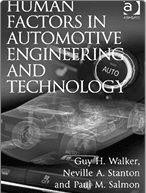
Human Factors in Automotive Engineering

Cognitive Psychology: Applying The Science of the Mind

The Elements of User Experience: User-Centered Design for the Web and Beyond
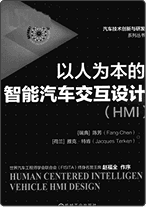
Human Centered Intelligent Vehicle HMI Design
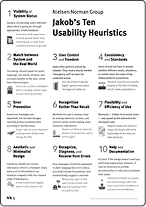
Jakob's Ten Usability Heuristics

Driver Distraction and Inattention: Advances in Research and Countermeasures

The Design of Everyday Things
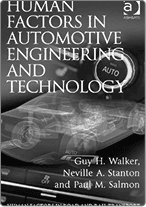
Human Factors in Automotive Engineering and Technology

The Ten Principles Behind Great Customer Experiences
Automotive User Interfaces: Creating Interactive Experiences in the Car
The Design of Everyday Things
Ergonomics of human-system interaction — Part 110: Interaction principles (ISO 9241-110)
Human Factors in Automotive Engineering
Cognitive Psychology: Applying The Science of the Mind
The Elements of User Experience: User-Centered Design for the Web and Beyond
Human Centered Intelligent Vehicle HMI Design
Jakob's Ten Usability Heuristics
Driver Distraction and Inattention: Advances in Research and Countermeasures
The Design of Everyday Things
Human Factors in Automotive Engineering and Technology
The Ten Principles Behind Great Customer Experiences
Automotive User Interfaces: Creating Interactive Experiences in the Car
The Design of Everyday Things
Ergonomics of human-system interaction — Part 110: Interaction principles (ISO 9241-110)
Human Factors in Automotive Engineering
Cognitive Psychology: Applying The Science of the Mind
The Elements of User Experience: User-Centered Design for the Web and Beyond
Human Centered Intelligent Vehicle HMI Design
Jakob's Ten Usability Heuristics
Driver Distraction and Inattention: Advances in Research and Countermeasures
The Design of Everyday Things
Human Factors in Automotive Engineering and Technology
The Ten Principles Behind Great Customer Experiences
Automotive User Interfaces: Creating Interactive Experiences in the Car
The Design of Everyday Things
Ergonomics of human-system interaction — Part 110: Interaction principles (ISO 9241-110)
Human Factors in Automotive Engineering
Cognitive Psychology: Applying The Science of the Mind
The Elements of User Experience: User-Centered Design for the Web and Beyond
Human Centered Intelligent Vehicle HMI Design
Jakob's Ten Usability Heuristics
Driver Distraction and Inattention: Advances in Research and Countermeasures
The Design of Everyday Things
Human Factors in Automotive Engineering and Technology
The Ten Principles Behind Great Customer Experiences
Automotive User Interfaces: Creating Interactive Experiences in the Car
USER RESEARCH Target Au—dience Analysis
To gain a clear understanding of our target users, we analyzed publicly available market data on New Energy Vehicle (EV) consumers. The resulting demographic insights provided a solid, data-driven foundation for our design, ensuring our solution would resonate with the primary user groups.
IDENTIFYING KEY PAIN POINTS & USER NEEDS
Following a comprehensive review of the current HMI landscape, we identified several recurring issues. To validate and deepen our understanding of real user needs, we gathered qualitative data through social media listening, analysis of user reviews, and in-depth interviews. This process was crucial for clarifying the core pain points and expectations of today's 'digital native' drivers.
Pain Points
Complex Operations
Deep and complex menu structures for simple tasks.
A steep learning curve requiring significant time to adapt.
Confusing Information Hierarchy
Deep and complex menu structures for simple tasks.
Forces users to focus excessively on the system, creating a distraction from the primary task of driving.
Lack of Personalisation & Intelligence
Limited ability to adapt to individual user preferences for climate, seating, or media.
The system fails to make dynamic adjustments based on the user's habits, preferences, or driving context.
Needs
DESIGN IN TERMS OF CONTEXT
Effective HMI design is not monolithic; it must be context-aware. Organising functions and interface elements based on the user's situation is crucial for delivering a safe and intuitive experience.
In-car context is multi-layered, encompassing the driving state (e.g., driving, parked, charging) and the external environment (e.g., traffic, weather, location). It also includes personal factors like the driver's mood, accessibility needs, and cultural background.
To structure our design process, this project focuses on three primary scenarios. For each, we analyzed the core user tasks and design considerations to ensure the HMI adapts intelligently to the user's needs.
Driving Scenario
The core focus is on safety, glanceability, and providing critical driving information with minimal distraction.
Parking Scenario
When the vehicle is stationary or parking, the interface can offer more detailed controls and information, such as surround-view cameras and precise manoeuvering assistance.
Lifestyle Scenario
While parked or charging, the car transforms into a 'third space' for entertainment, work, or relaxation. The HMI provides access to immersive media, productivity tools, and comfort settings.
DESIGN STRATEGIES
Prioritise Clarity & Focus
Deliver critical information with maximum efficiency and minimal clutter, ensuring the driver's attention remains firmly on the road.
Engineer an Intuitive & Seamless Flow
Design interactions that are so intuitive they become second nature. This drastically reduces the user's cognitive load and learning curve.
Deliver a Smart & Personalised Experience
Leverage data and AI to create a proactive and personalised environment. The system should learn user preferences and anticipate needs, making the experience feel uniquely tailored to the individual.
INFORMATION ARCHITECTURE
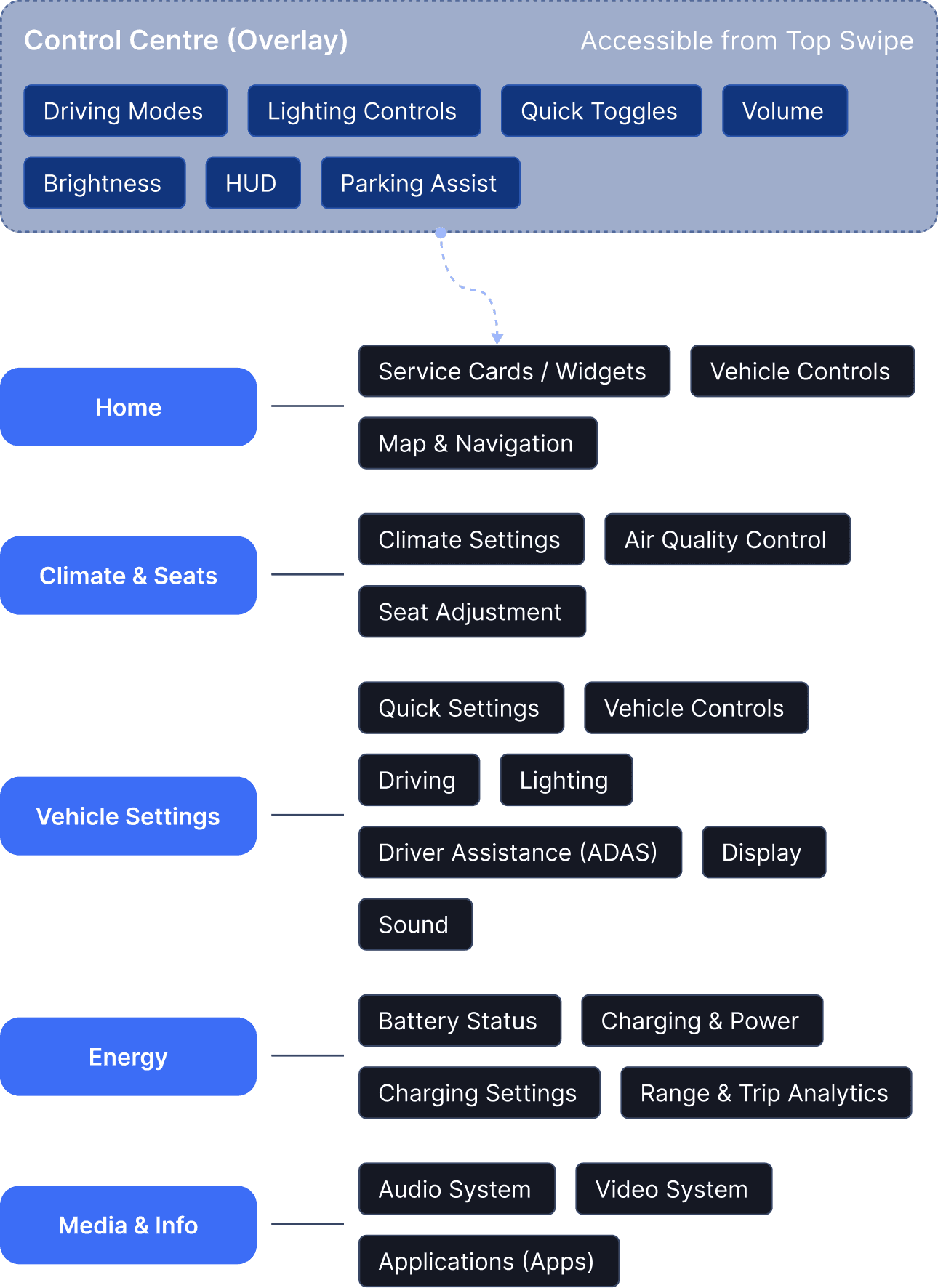
In the driving context, deeply nested menus are dangerous. For this HMI system, I adopted a shallow hierarchy strategy:
High-Frequency Actions: Placed in the 'Control Centre' for 1-tap access (e.g., Quick Toggles, Volume).
Configuration: Detailed setups (e.g., ADAS, full Lighting customization) are housed in 'Settings', accessible only when parked or safe. This separation ensures that 80% of tasks are achievable within 2 taps, minimizing driver distraction.
WIREFRAMES
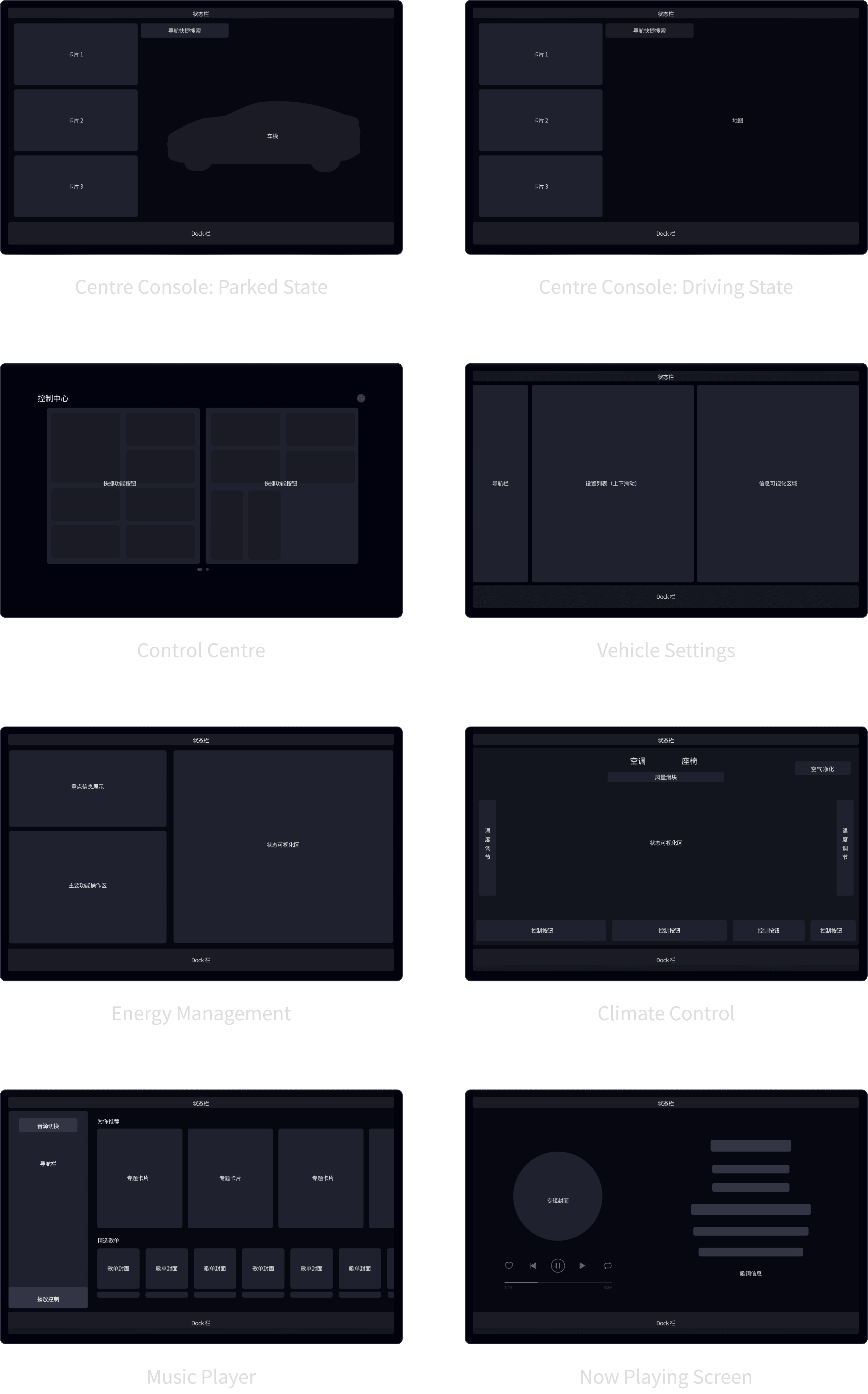
In this phase, we developed a comprehensive set of wireframes to define the HMI's core structure and functional layout. These low-fidelity blueprints allowed us to rapidly explore and validate the basic interaction model, focusing purely on usability and information hierarchy. By establishing a clear and logical foundation with these wireframes, we paved the way for an efficient visual and interaction design process.
HOME SCREEN
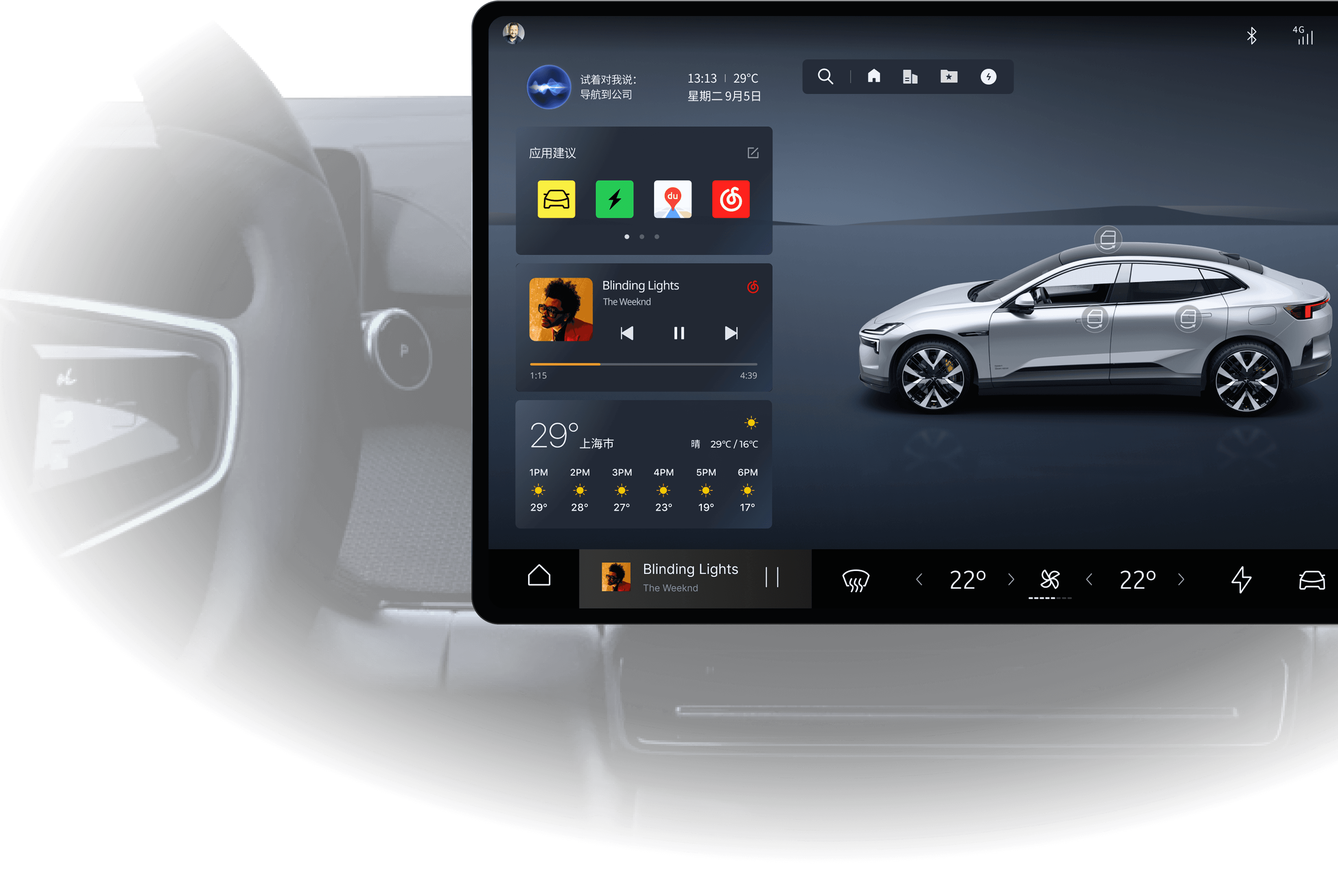
The centre console display is the nerve centre of the entire HMI, serving as the primary gateway for users to quickly access all functions. The interface intelligently adapts by automatically switching between 'Driving' and 'Stationary' modes based on the vehicle's state.
The design philosophy is centred on simplifying complex workflows to enhance the user experience. This enables the driver to effortlessly obtain information and execute commands while on the move, ensuring every interaction is intuitive, efficient, and user-focused.
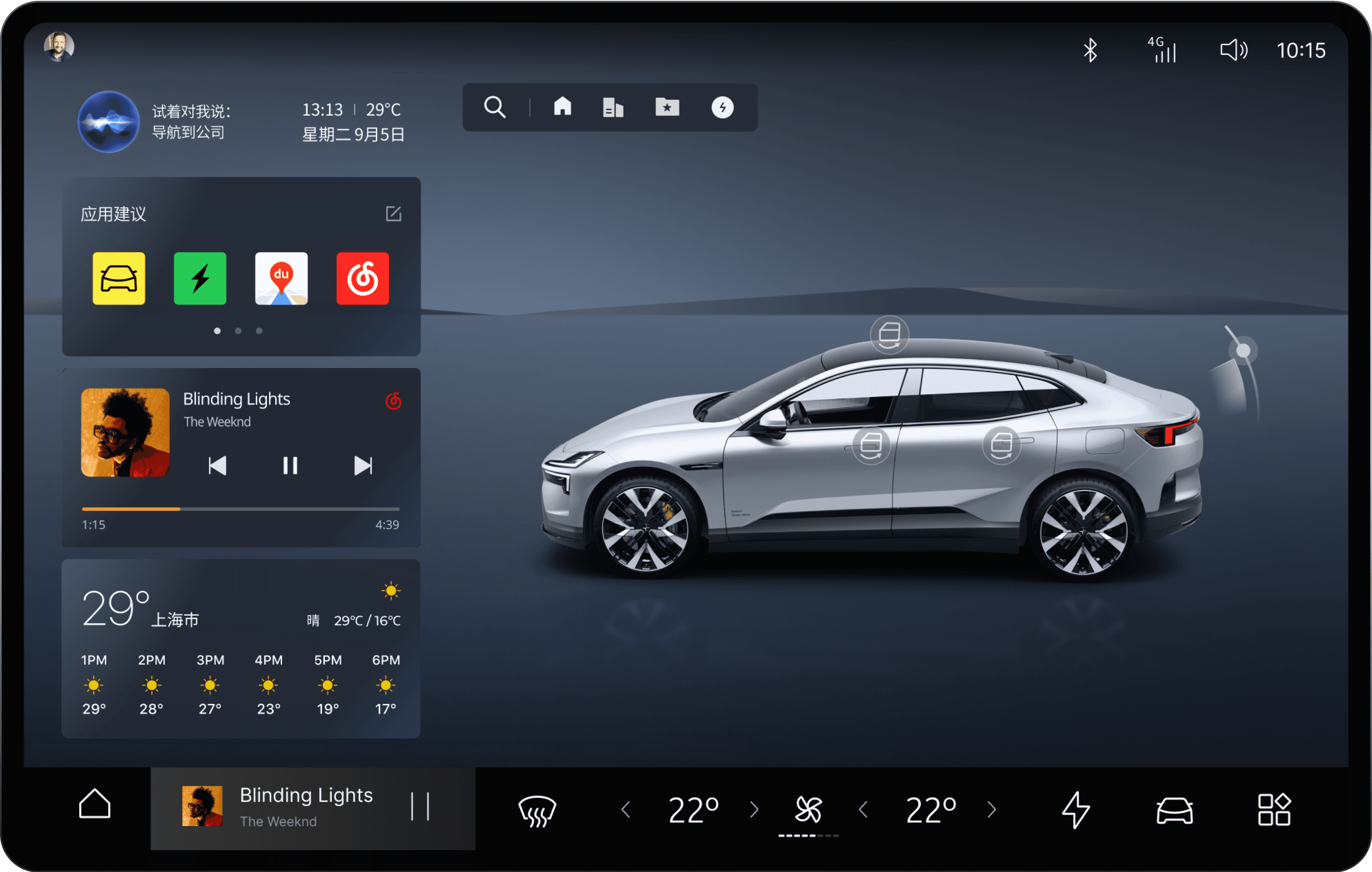
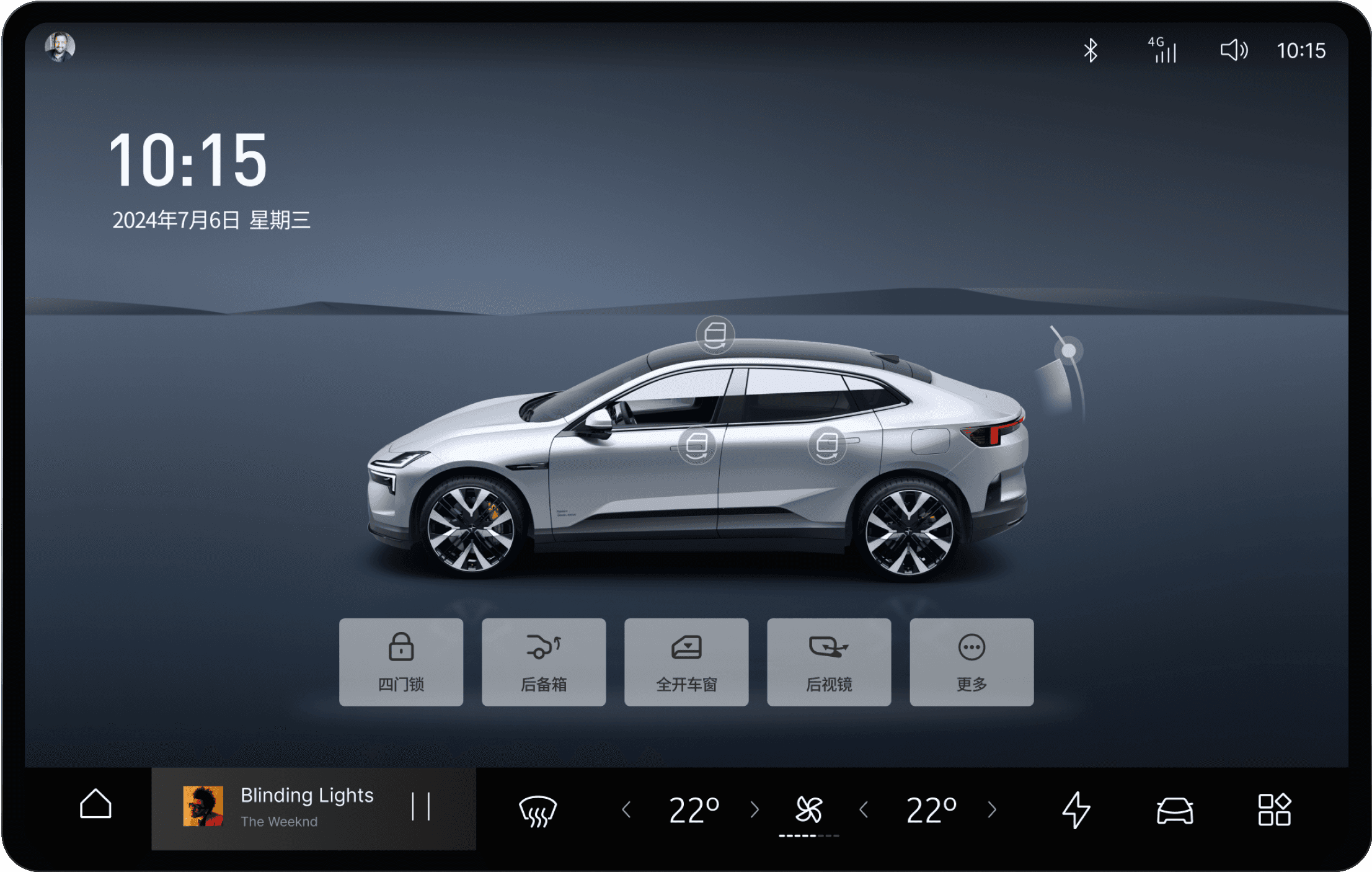
3D Vehicle Control Interface
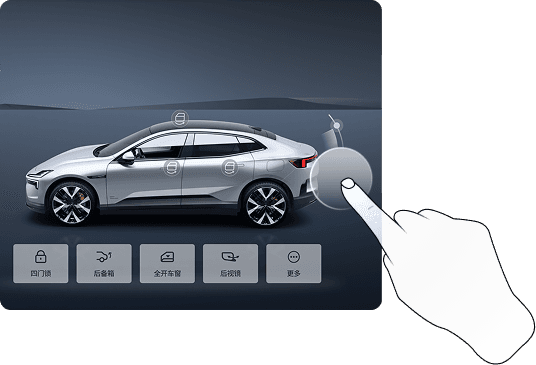
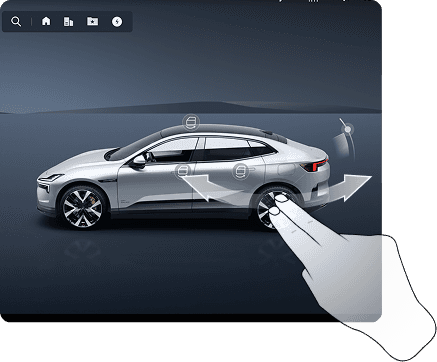
In the stationary state, the interface displays a detailed 3D model of the vehicle. This provides an intuitive and visually rich way for users to access and control specific vehicle functions, such as opening doors or checking tyre pressure. It transforms abstract settings into direct, tangible interactions.
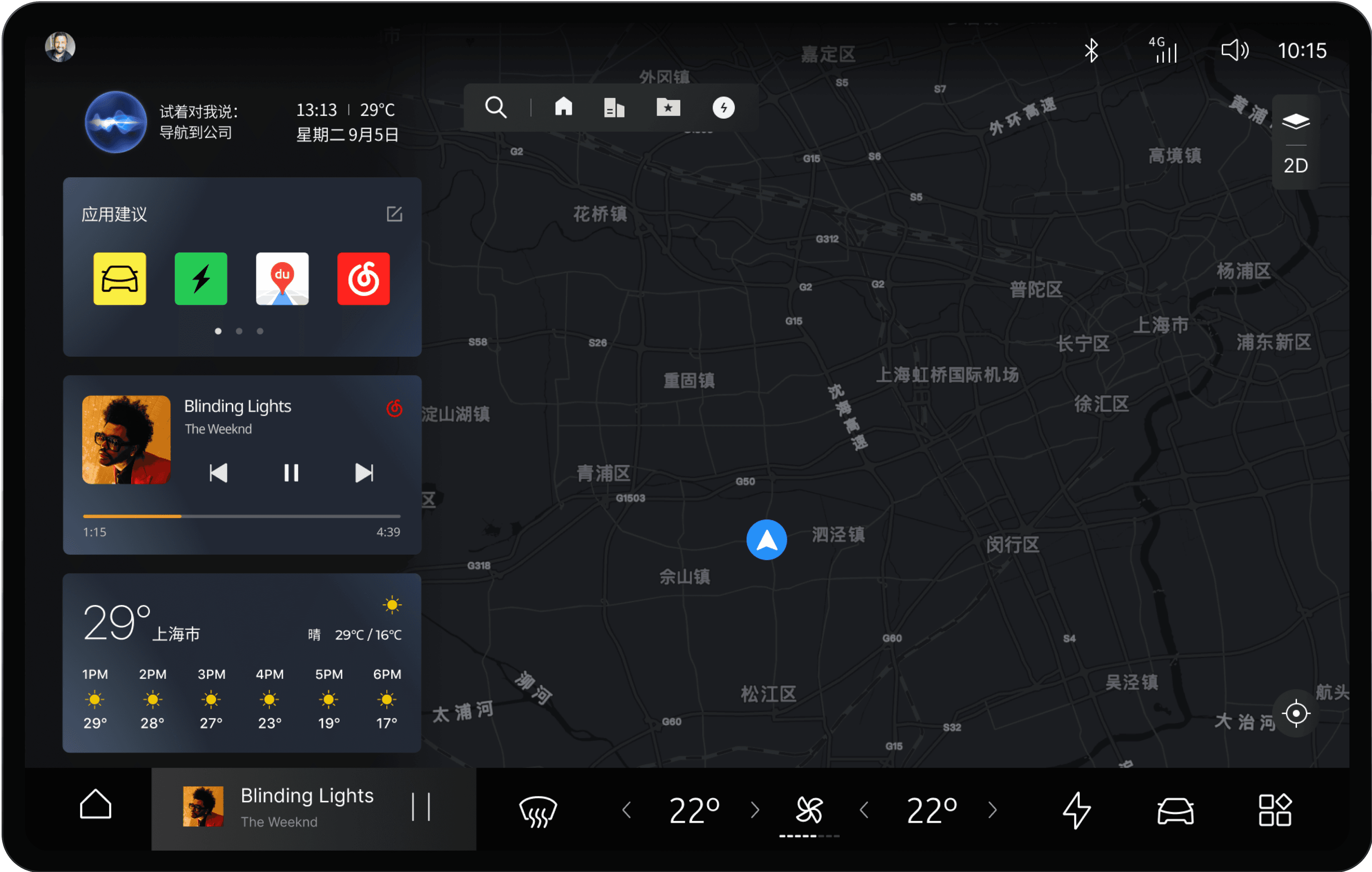
Integrated Map & Navigation
After a destination is set, the map becomes the primary view, ensuring navigation is always clear and present. To minimise distraction, crucial service cards like media and climate controls remain accessible as persistent elements, allowing the driver to make adjustments without ever leaving the navigation screen.
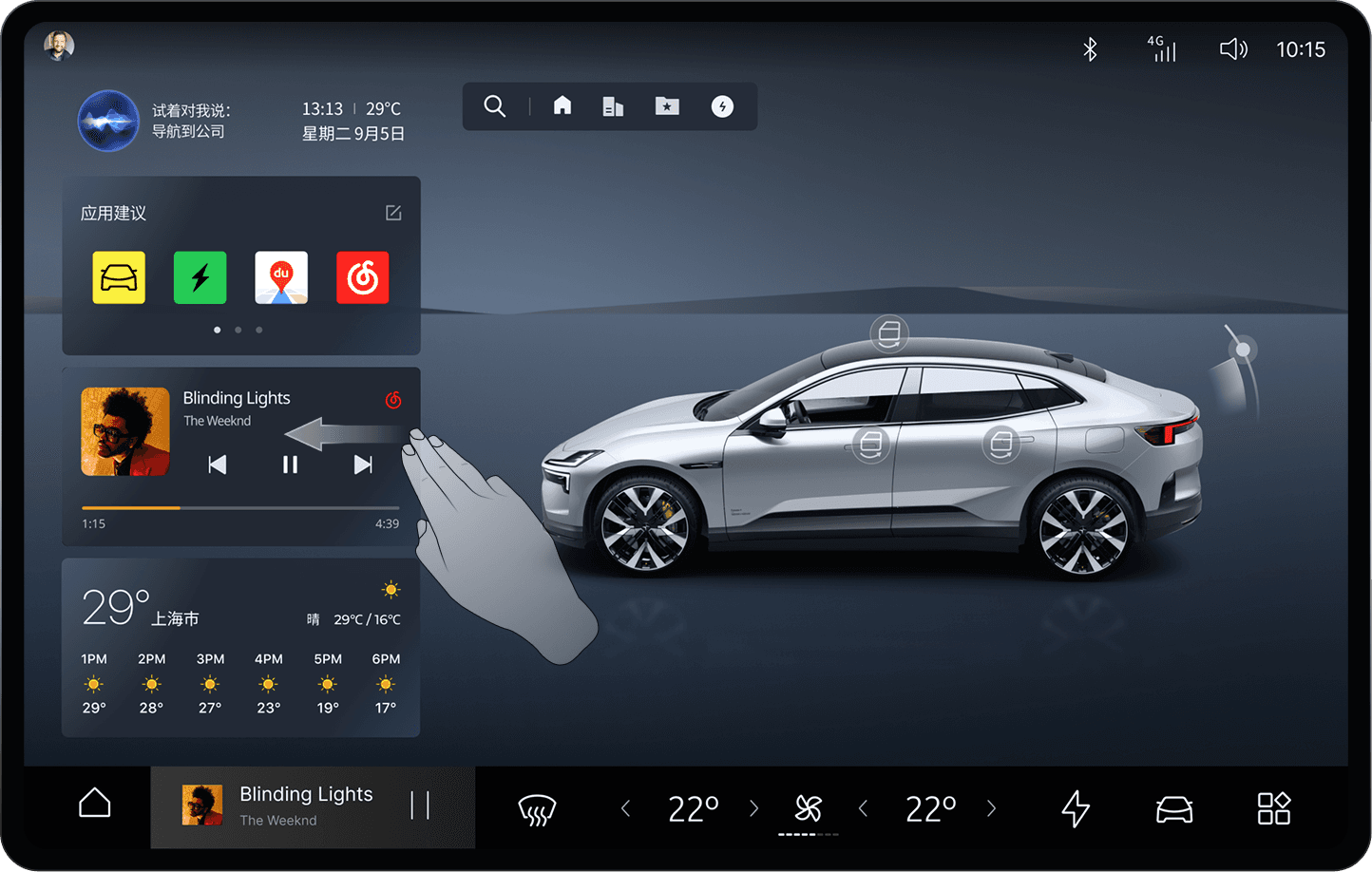
Core Interaction Model & Gestures
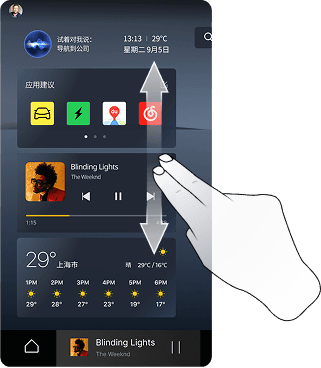
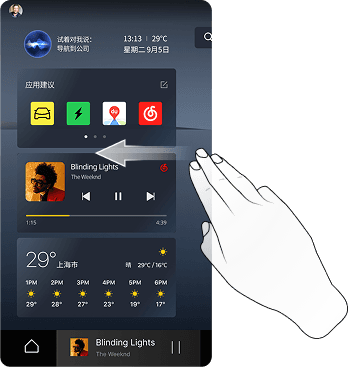
The interaction model is designed for seamless adaptability across different driving scenarios. Key information and frequently used controls are always accessible, while a streamlined gesture system helps the driver operate the HMI effortlessly and without distraction. This reduces cognitive load and ensures a fluid, intuitive user experience.
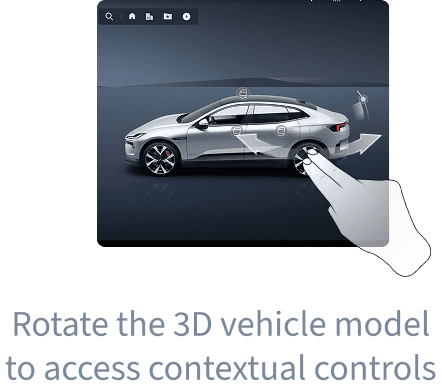
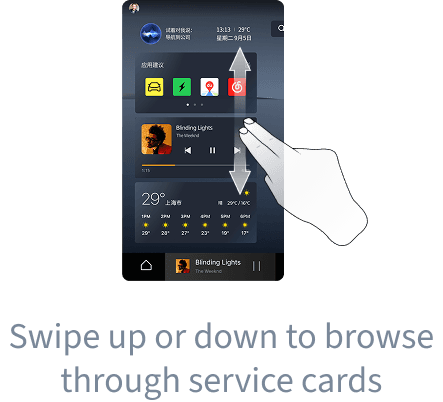
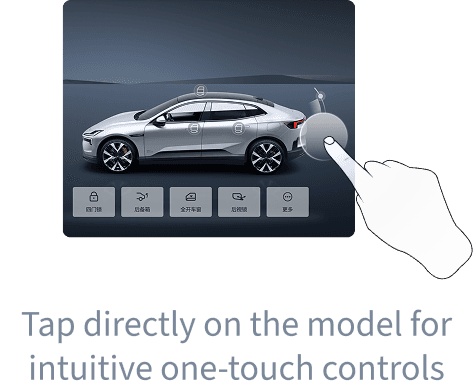
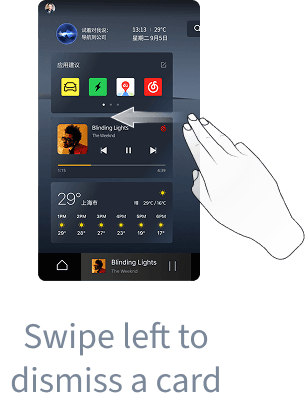
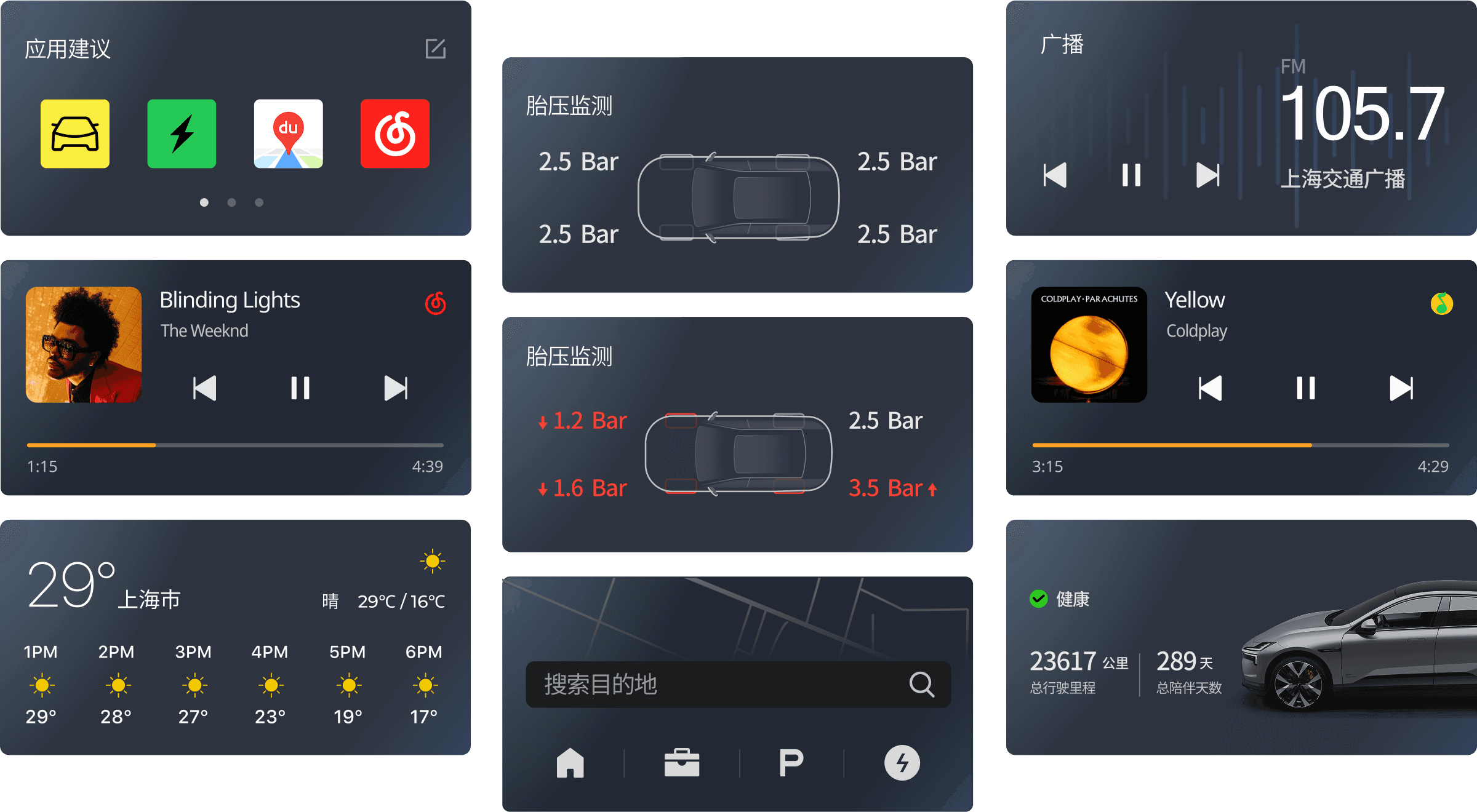
Service Cards: Modular & Personalised
The home screen is built upon a system of interactive Service Cards, or 'widgets'. Each card acts as a direct gateway to key functions and information, designed with a focus on glanceability and immediate usability.
Positioned in the primary touch zone for easy reach, they allow for quick, one-touch actions. The system also supports full personalisation, enabling users to arrange the cards according to their preferences and making the experience uniquely their own.
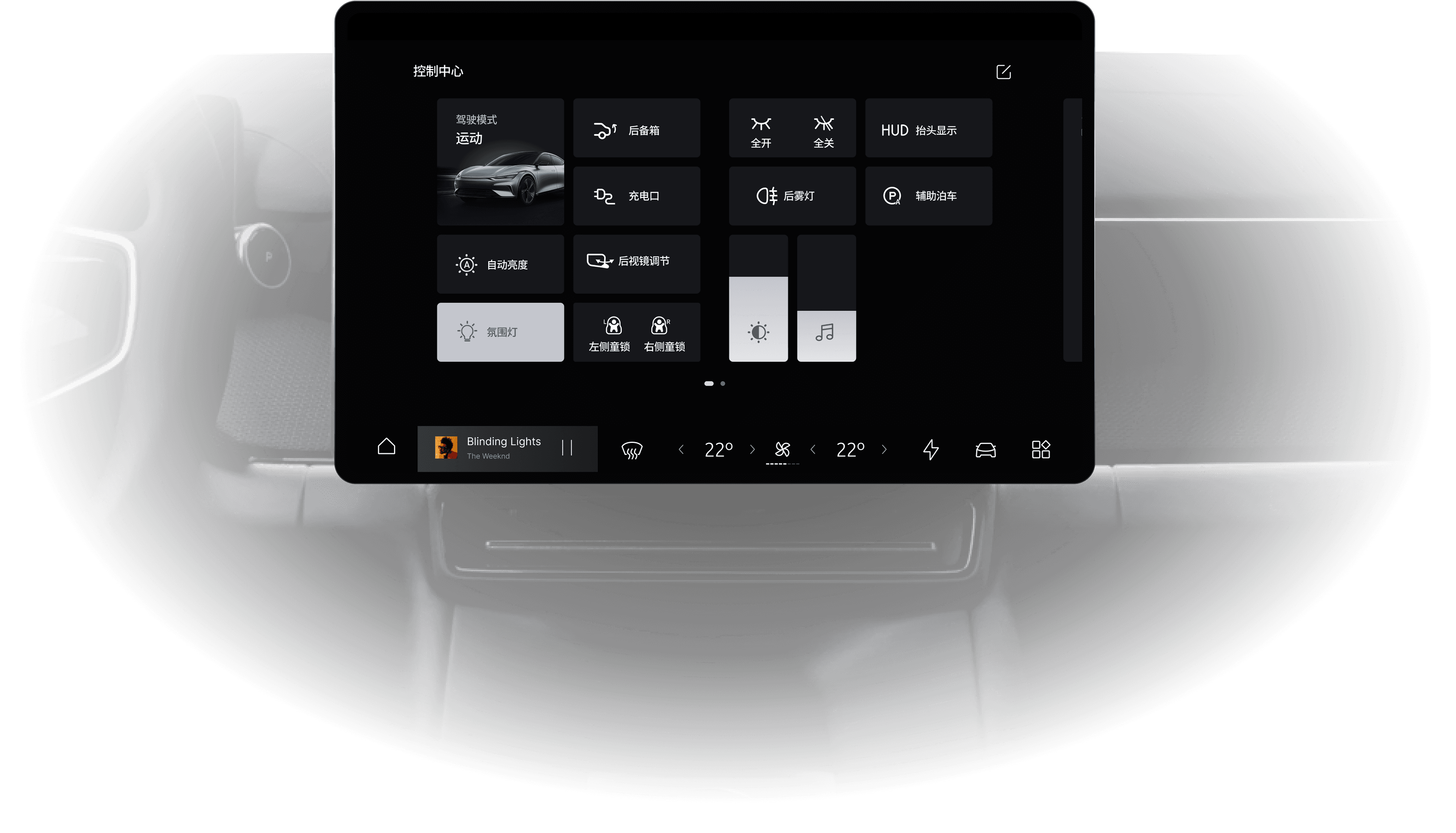
QUICK ACCESS SCREEN
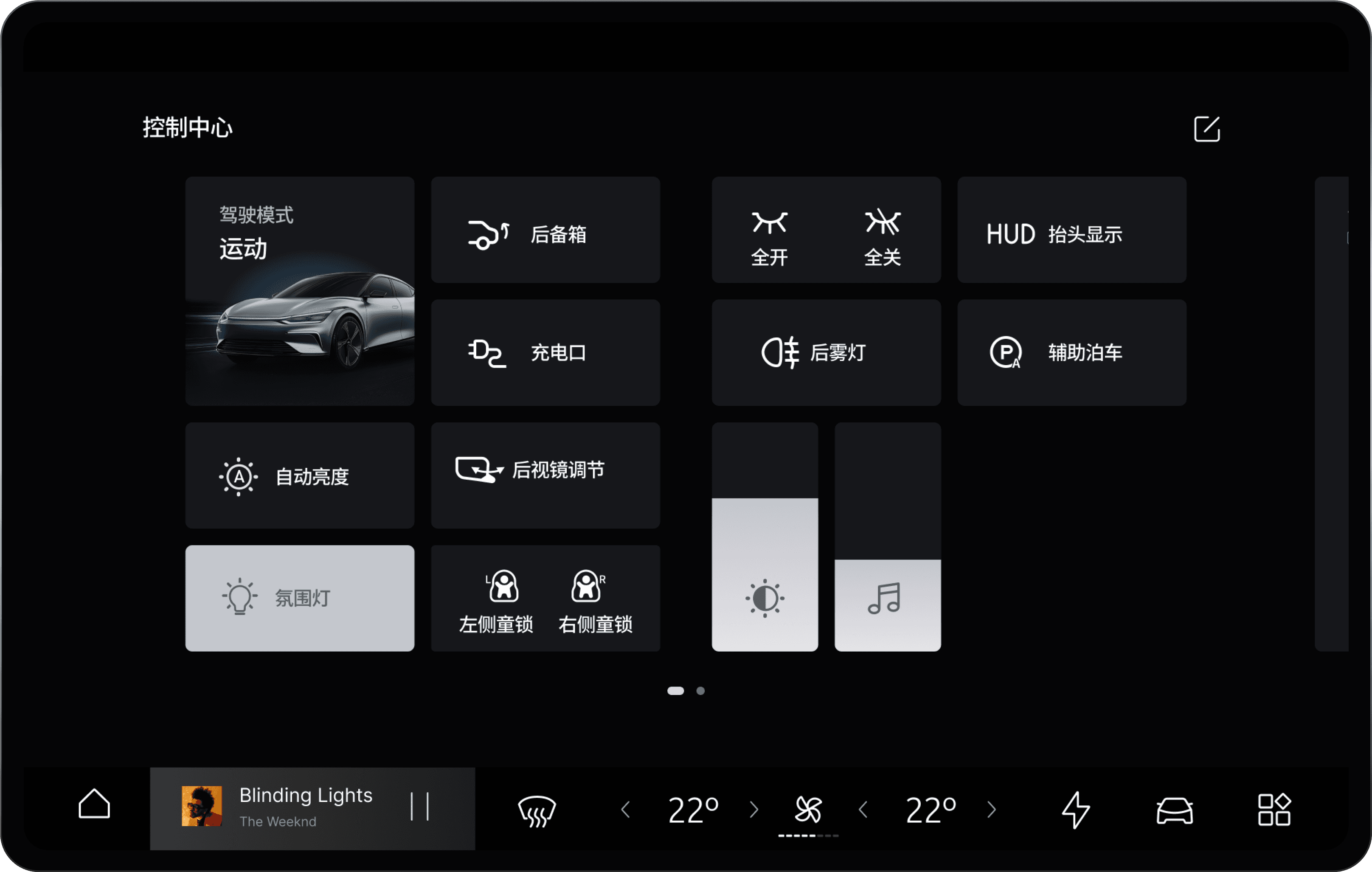
The Quick Access Screen serves as an auxiliary control panel, designed to provide rapid access to essential functions and information. It is accessible via a simple swipe-down gesture from any screen, allowing the driver to make adjustments safely and with minimal distraction.
Visual & Intuitive Controls
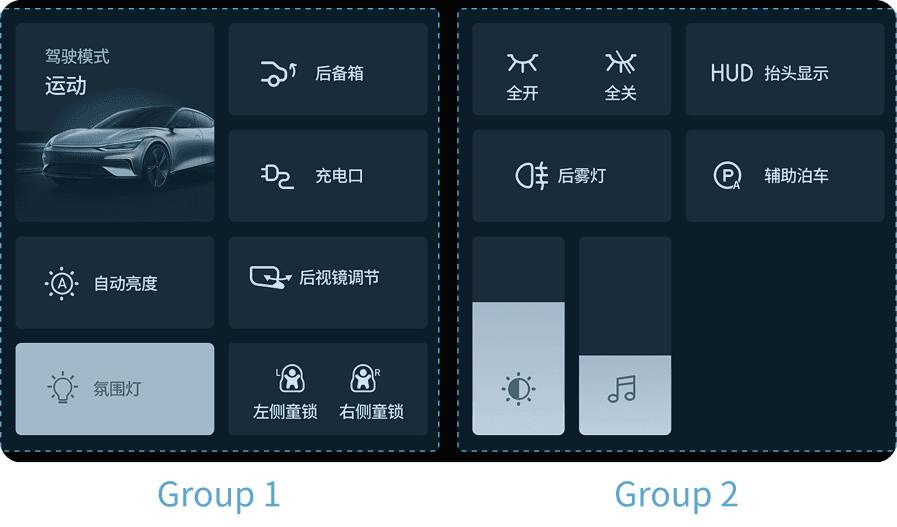
Functions are represented by clear, universally recognisable icons rather than text. This visual approach enhances recognition speed and reduces cognitive load. The layout is also fully customisable to suit user preferences.
Ergonomic Grouping & Layout
Controls are organised into logical groups based on function type and frequency of use. The layout is informed by Fitts's Law, with larger, more critical targets placed in easily accessible areas to improve accuracy and speed, aiding muscle memory over time.
Personalisation
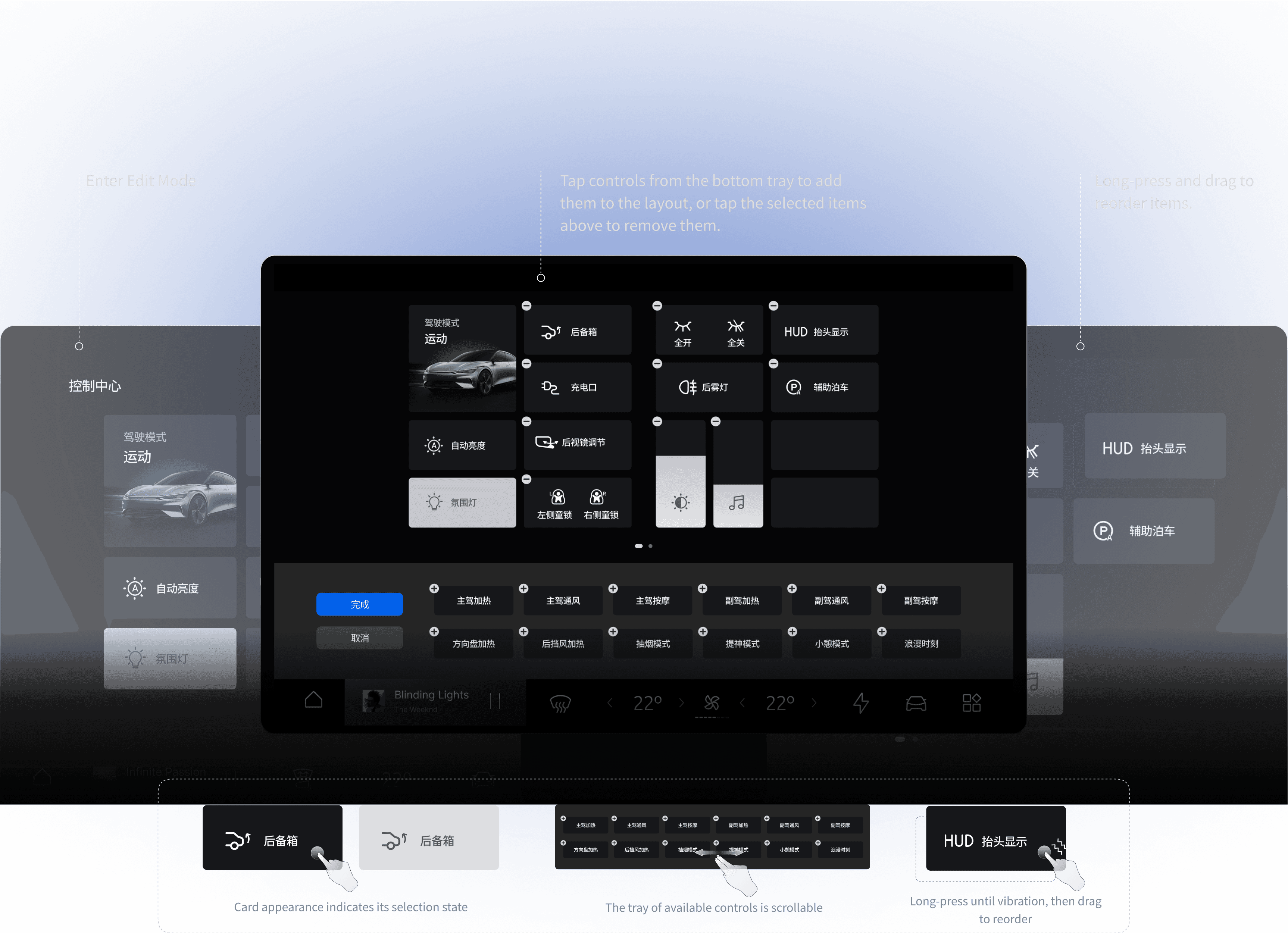
The Quick Access screen is fully customisable, allowing each user to create a layout that perfectly matches their personal habits and needs. This transforms the interface from a static tool into a dynamic and personal control centre. The simple drag-and-drop system empowers users to build their own efficient workflow.
ADVANCED DRIVER ASSISTANCE SYSTEM (ADAS)
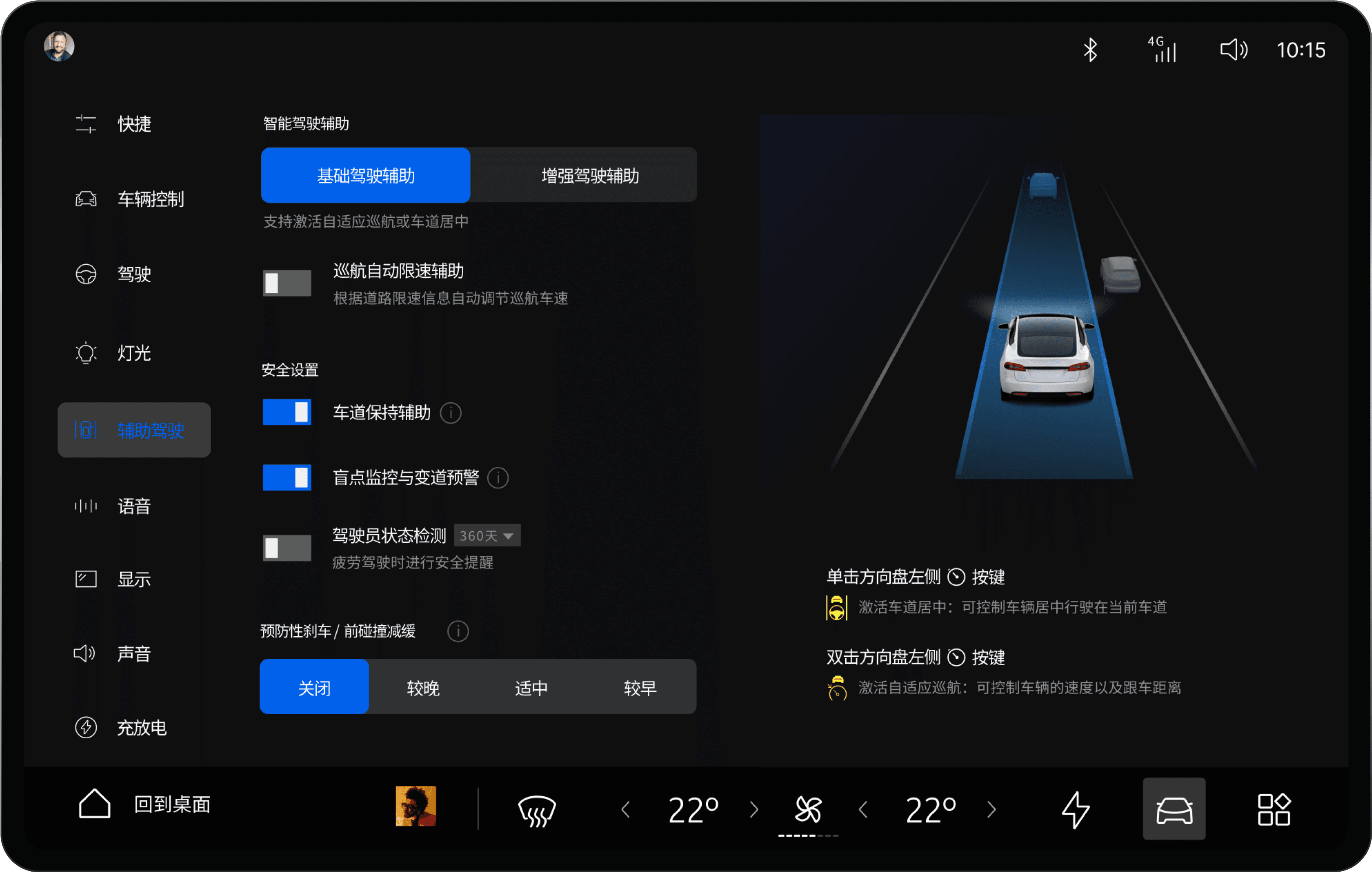
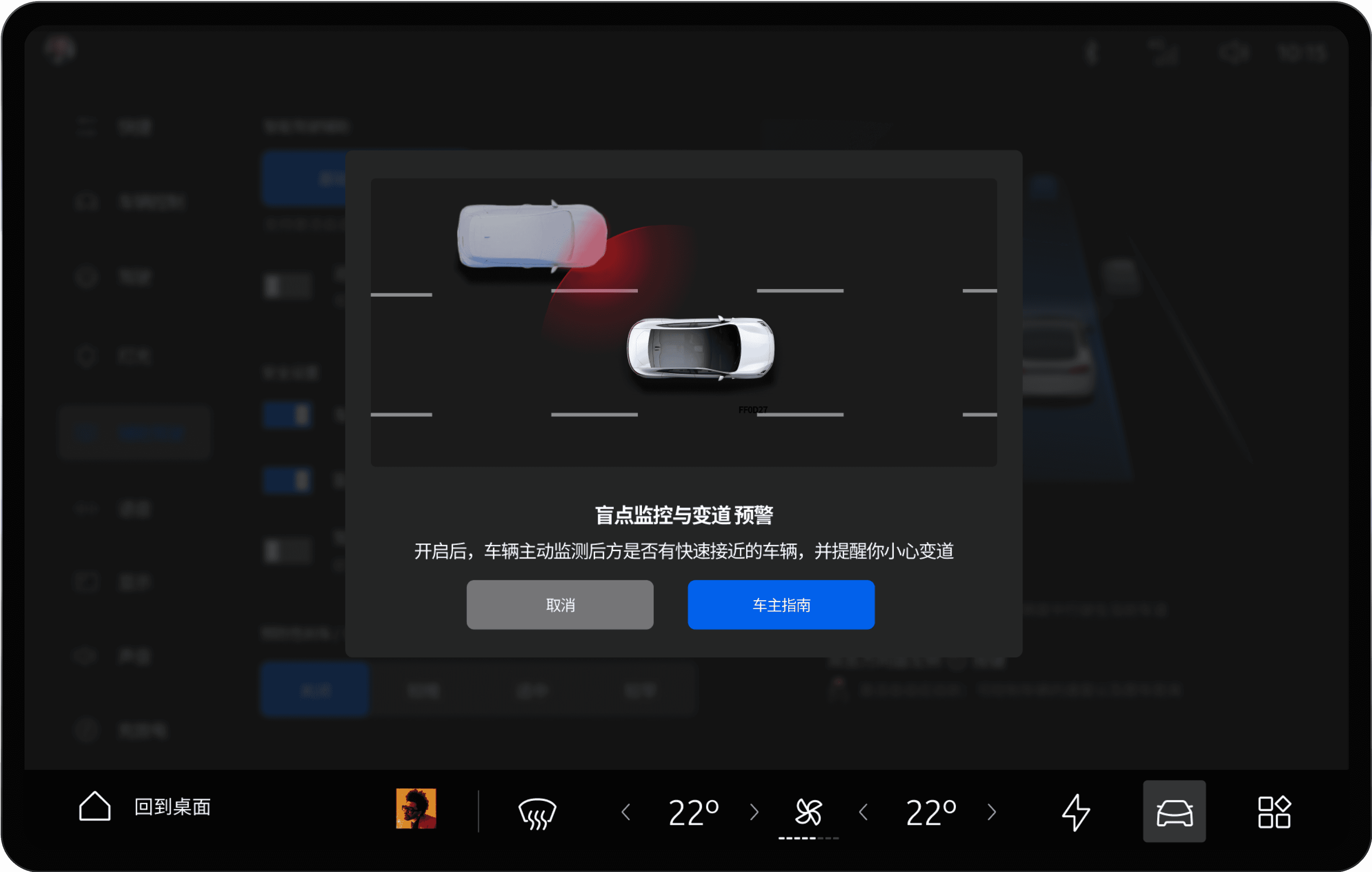
Our design for the ADAS (Advanced Driver Assistance System) focuses on building driver trust and confidence through intuitive control and clear communication. The dedicated settings page empowers users to easily personalise their experience by adjusting the sensitivity and operational modes of key features like Adaptive Cruise Control, Lane Keep Assist, and Collision Warning.
By providing a streamlined workflow and transparent real-time feedback on the system's status, our design ensures users feel informed and in control, leading to a safer and more assured driving experience.
Fitts's Law
The size of a target and its distance directly impact the time and precision of an operation. The side navigation bar is placed in a location that is easy for the driver to reach and provides sufficiently large touch targets. This conforms to Fitts's Law and helps to improve the user's operational efficiency.
Clear IA & Visual Hierarchy
The design of the side navigation bar clearly presents the information hierarchy, allowing users to quickly find their desired functions. Typography is leveraged to improve operations and reduce page switching. Visually, a clear distinction between primary and secondary information reduces the user's cognitive load, while overall consistency ensures users feel familiar across different settings pages.
Information Visualisation
System statuses and settings are presented through clear visualisations and graphics, rather than just text. This allows users to intuitively understand the function and status of assistance features. Dynamic effects and real-time feedback further enhance clarity, helping users to quickly grasp how the system is operating.
Help & Documentation
To build user trust and understanding, each ADAS feature is accompanied by concise, easily accessible information. This supplementary text explains the purpose and behaviour of each setting, ensuring users can confidently understand the system's logic and make informed decisions.
ADAS Status & Alert Visualisations
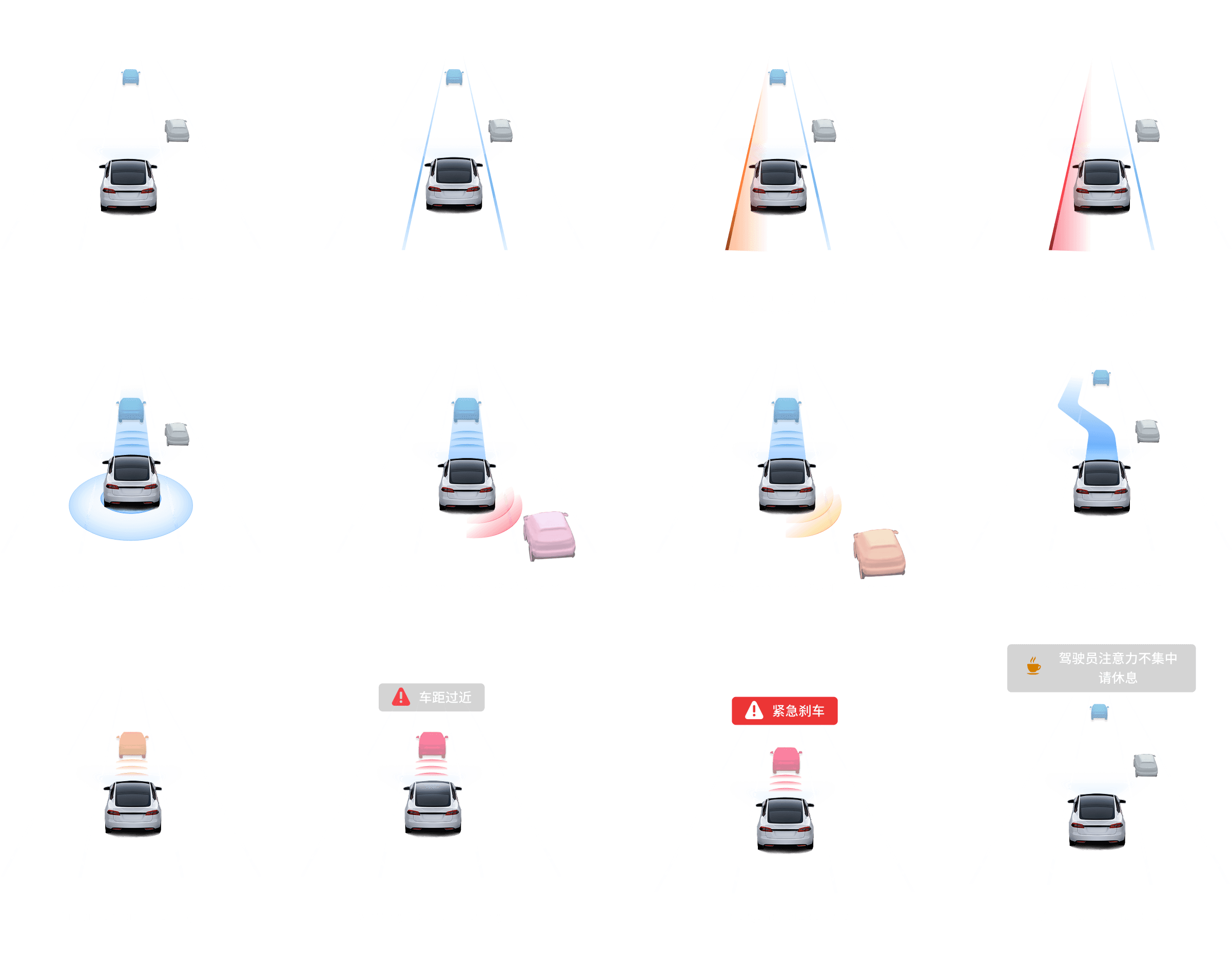
To improve the user's comprehension of and reaction time to ADAS statuses, we developed a system of intuitive, visual 'state cards'. These cards reduce the complexity of information processing by helping users quickly identify the operational state of any given feature. A unified visual language, combining consistent iconography with a clear colour-coded system, allows the user to instantly recognise the current status and warning level. This clear feedback hierarchy enables drivers to monitor the system at a glance and react promptly, ultimately enhancing both their safety and their confidence in the technology.
CLIMATE AND SEAT ADJUSTMENT
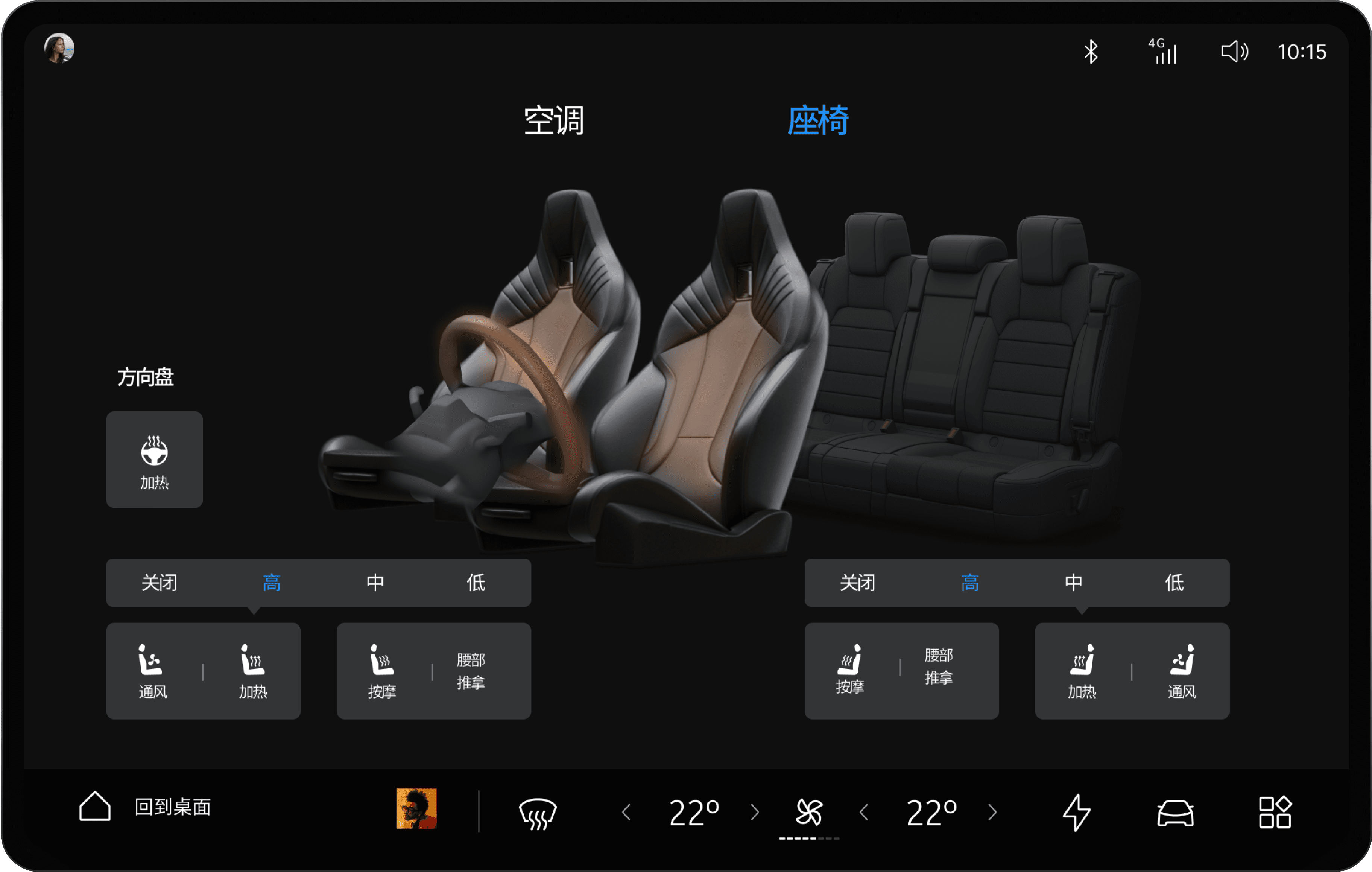
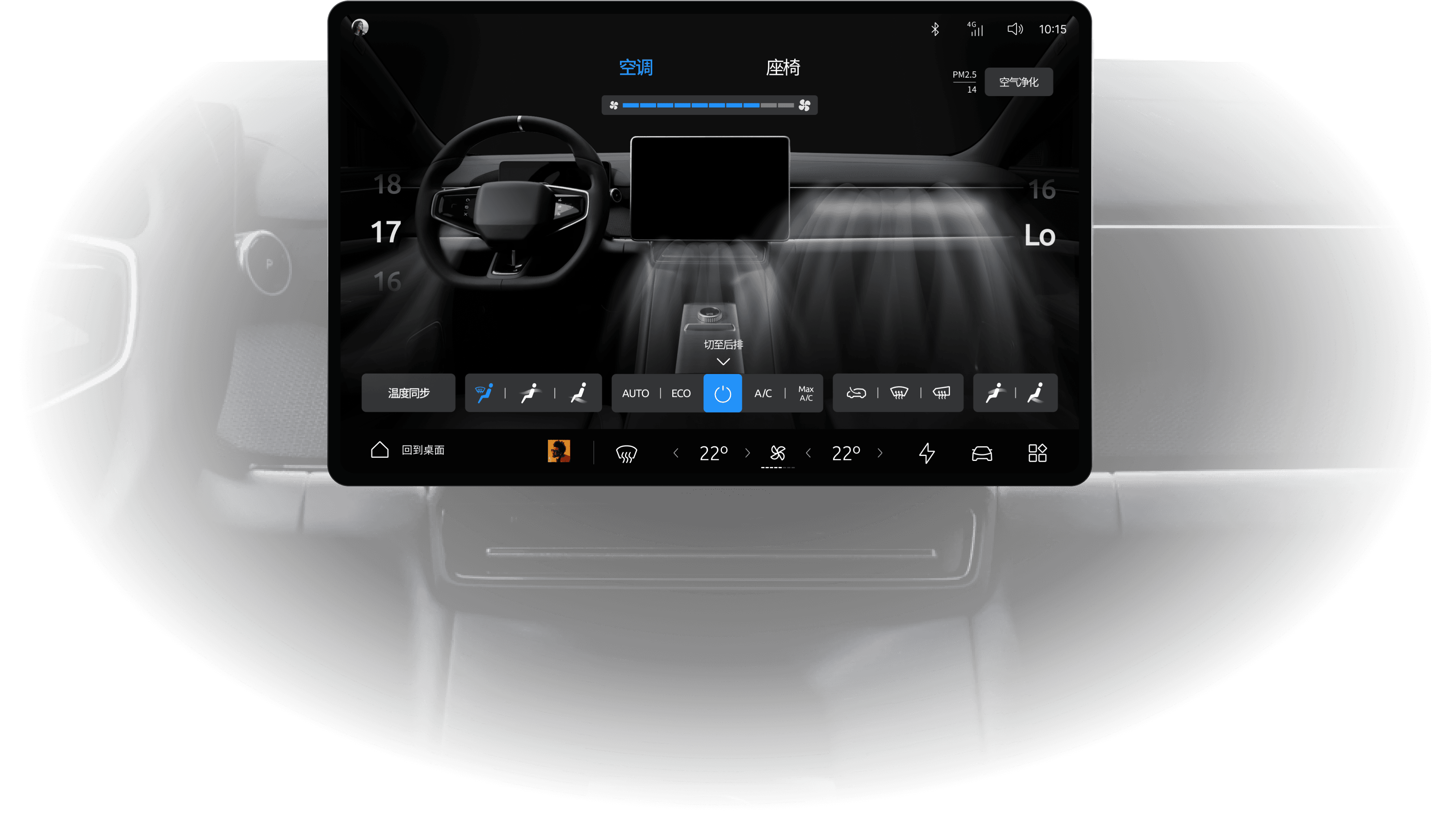
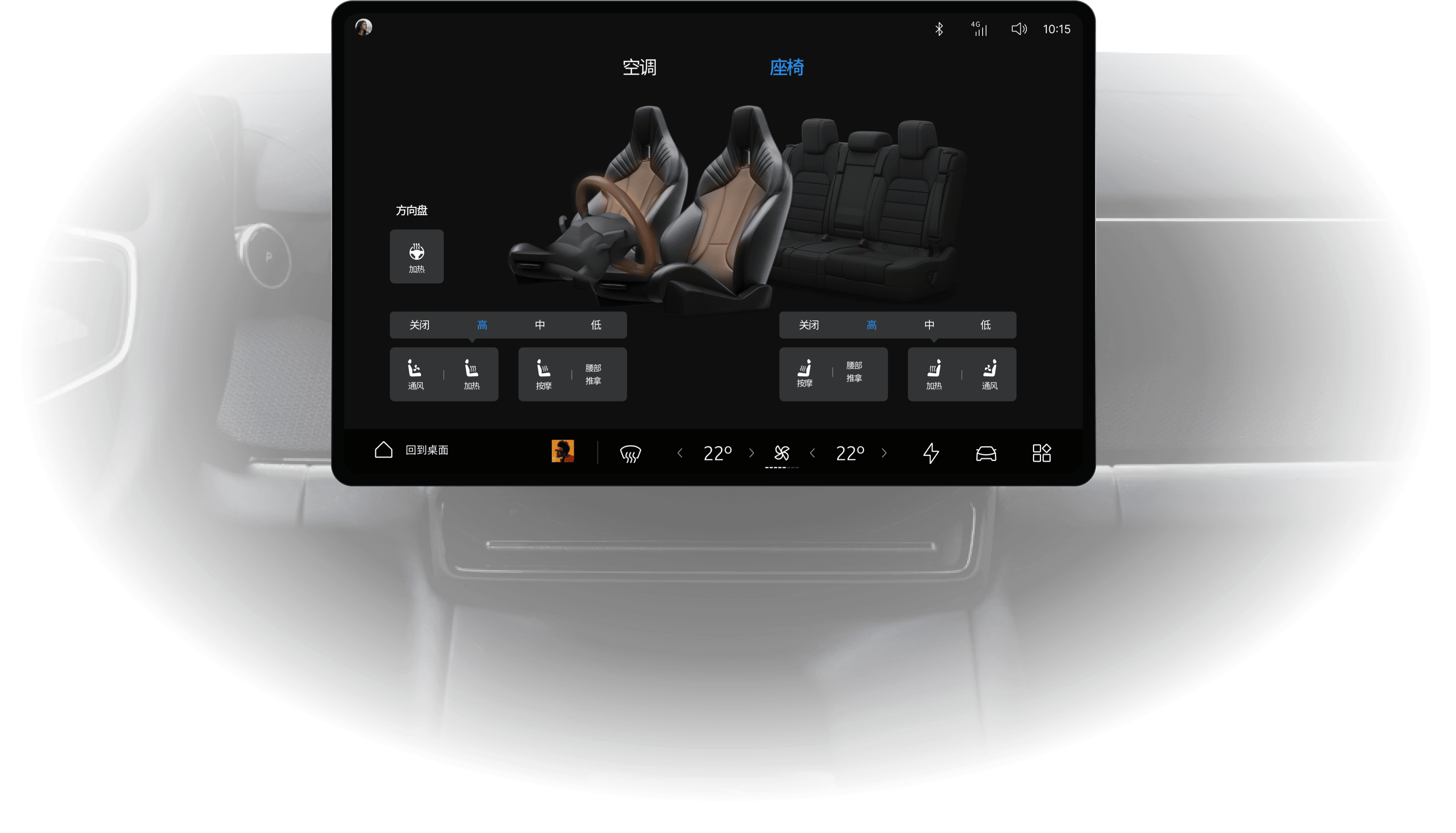
The design of the climate and seat module prioritises a user-friendly, direct manipulation experience. Combining an intuitive visual interface with a clean layout, it allows occupants to effortlessly adjust temperature, fan speed, and seat heating/ventilation.
The system supports full personalisation for different occupants and enhances the user's sense of control through clear, immediate visual feedback.
Intuitive Visual Interface
The primary climate interface is designed for immediate comprehension. Rather than relying on abstract icons, the system uses a realistic visualisation of the cabin's airflow. This allows users to instantly understand and confirm their adjustments, such as fan speed and direction, through real-time visual feedback.
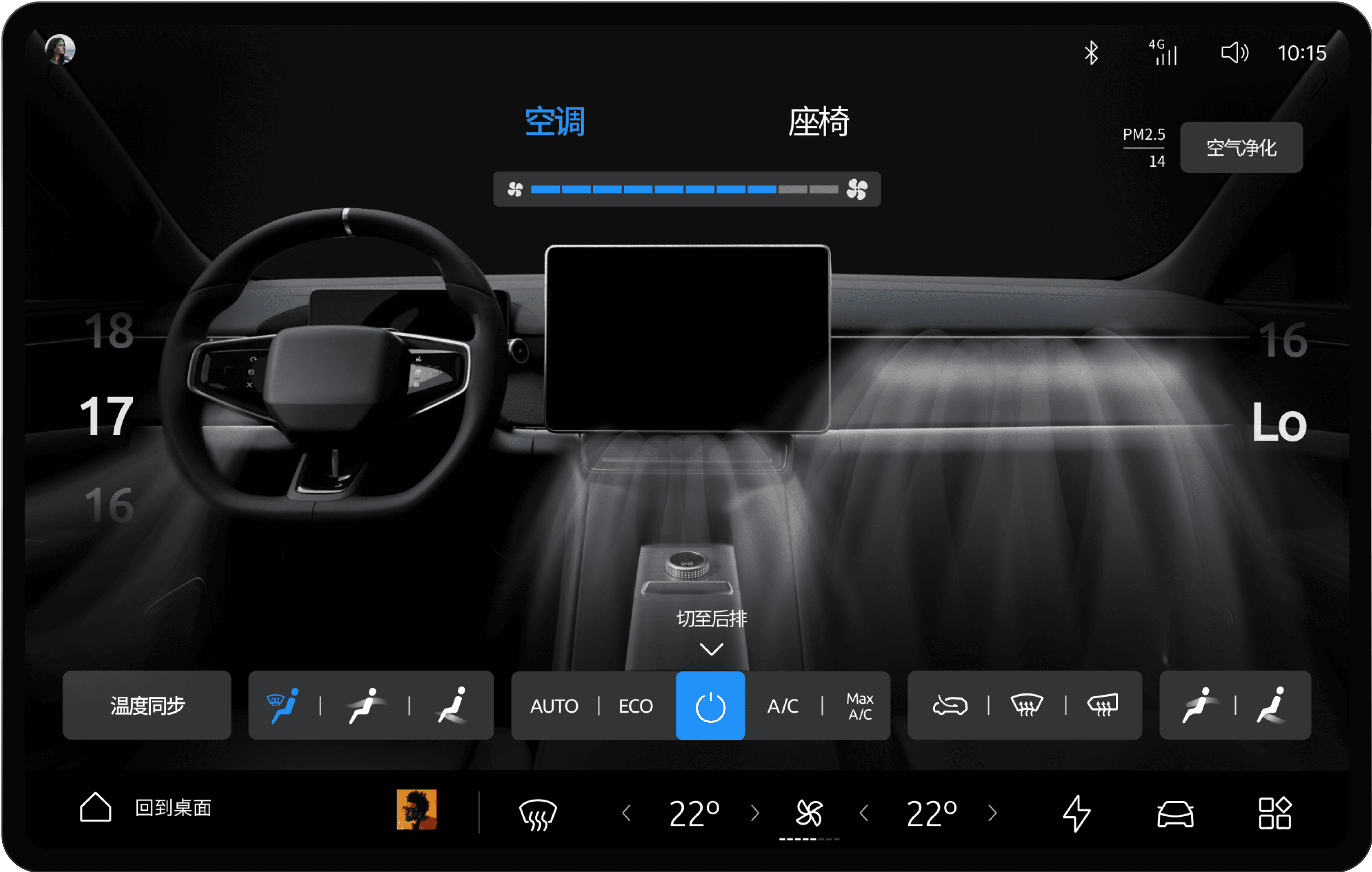
Independent Multi-Zone Control
The system offers independent climate and comfort zones, empowering the driver and passengers to tailor their settings individually. This includes multi-zone air conditioning as well as personalised seat heating, ventilation, and steering wheel heating. This granular control significantly enhances the comfort and personalised experience for every occupant.
ENERGY MANAGEMENT
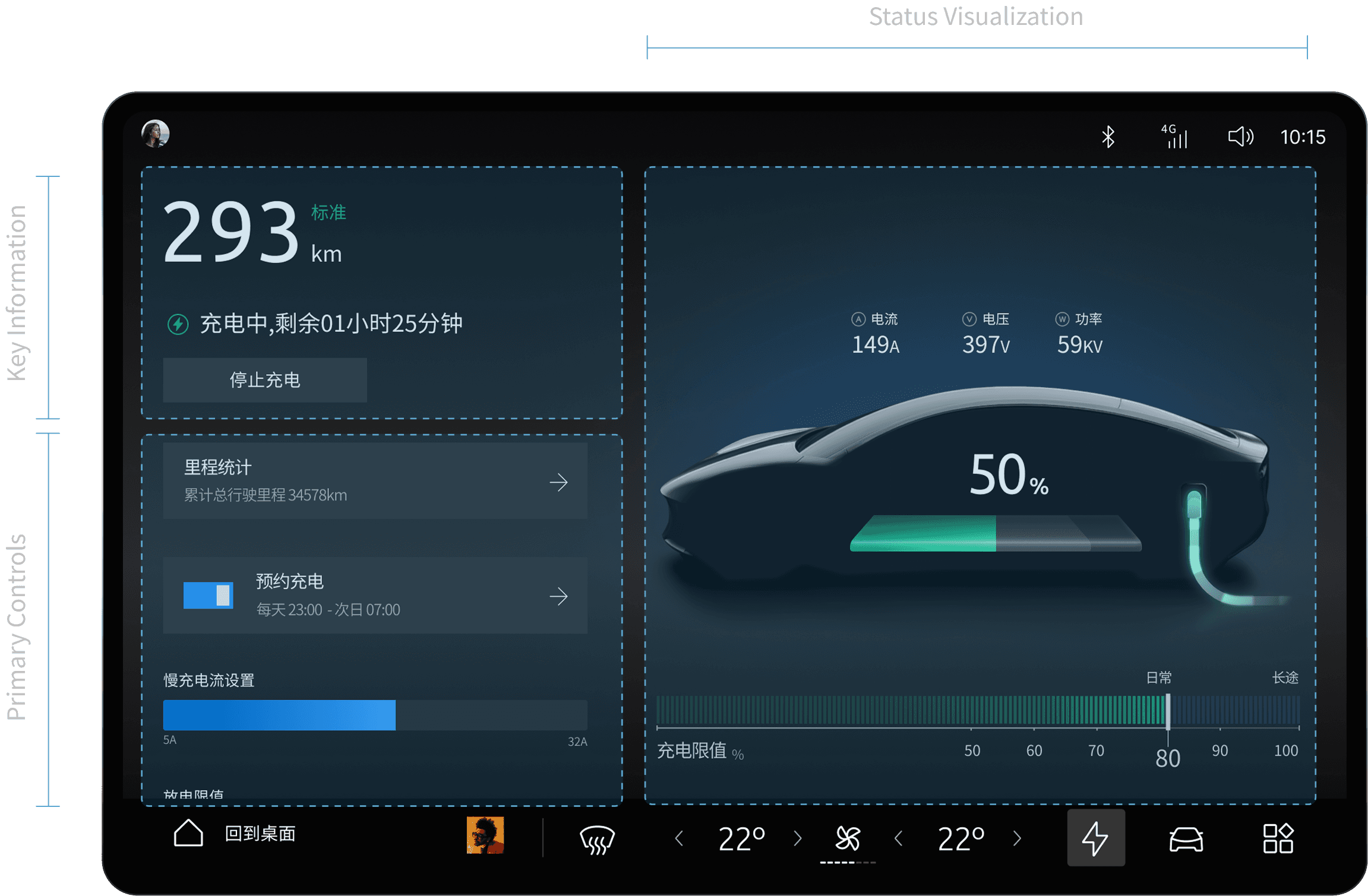
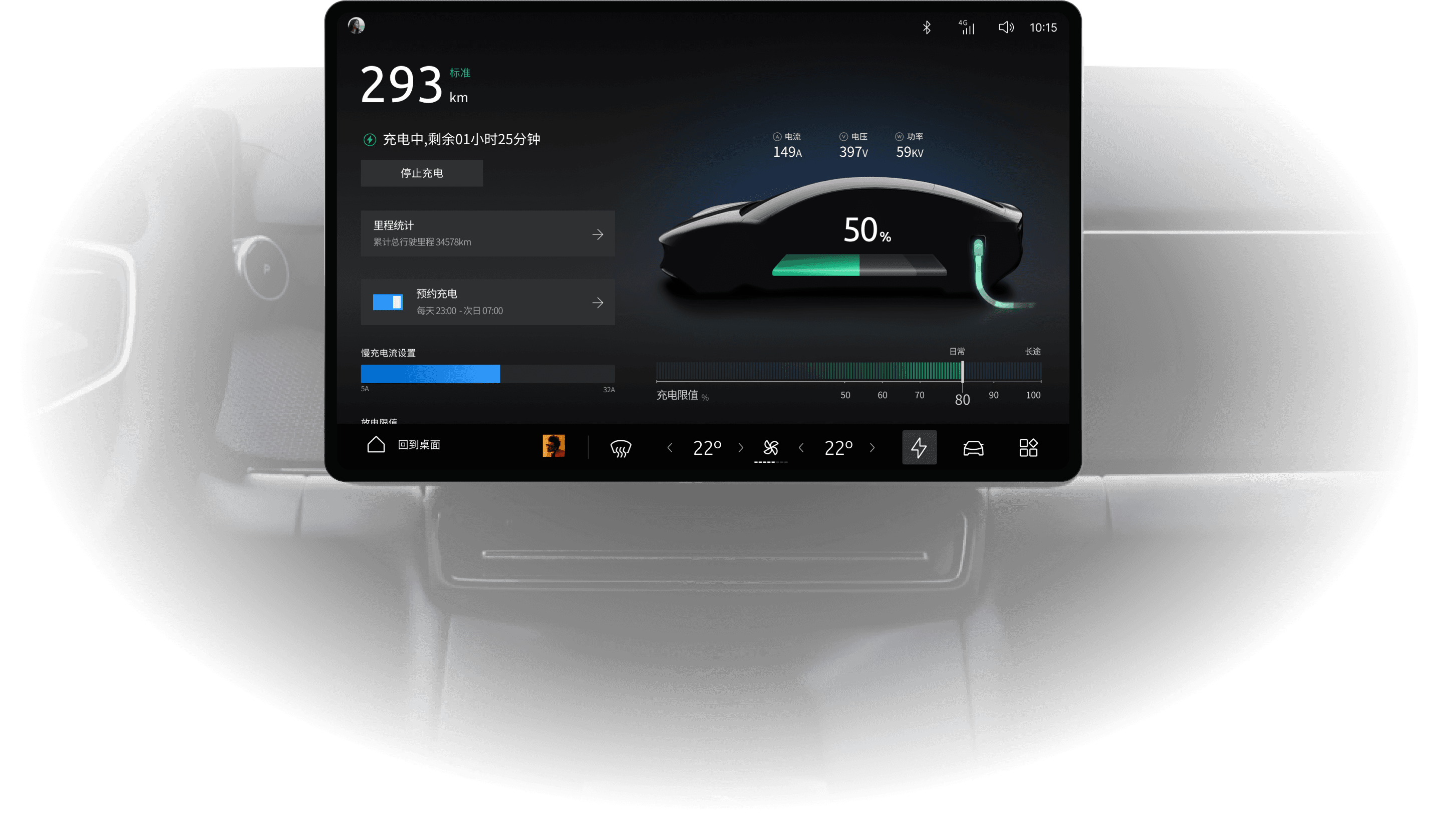
The Energy Management screen is an integrated interface designed to tackle a core challenge of EV ownership: range anxiety. It provides a comprehensive hub for all energy-related information and tools. By displaying real-time data on battery status, estimated range, and consumption, it empowers users to confidently understand and manage their vehicle's energy.
Strategic Page Layout
The layout is organised into three clear zones: the Key Information Display, the Primary Interaction Area, and the Status Visualisation area. To ensure greater convenience, the main interaction area is positioned within the optimal ergonomic zone for the driver. This clear structure helps users quickly find information, while the interaction design minimises page jumps for a more efficient and seamless experience.
Intuitive Data Visualisation
Adopting a 'what you see is what you get' (WYSIWYG) philosophy, the graphical design allows users to easily identify and distinguish between different energy states and modes. This visualisation not only improves the immediate comprehensibility of the information but also helps users make faster, more informed decisions, enhancing their sense of control over the vehicle's energy efficiency.
MUSIC PLAYER
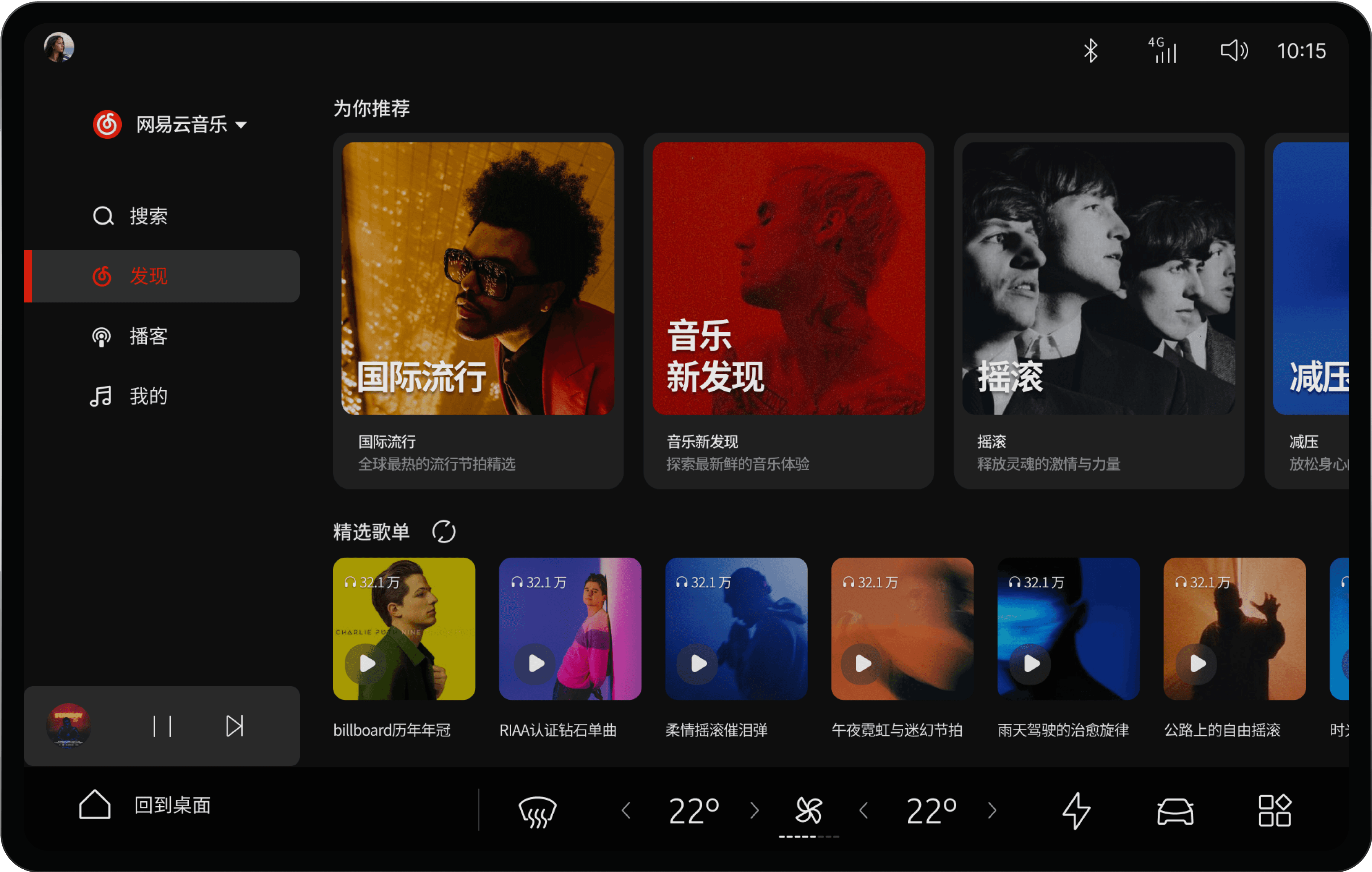
The Music Player module is designed to deliver a rich and intuitive audio experience, seamlessly integrating user needs with the capabilities of the smart vehicle system. It offers a unified interface supporting multiple audio sources and playback controls, complemented by personalised playlists and intelligent recommendations, allowing users to quickly find and enjoy the music they love.
Framework & Layout
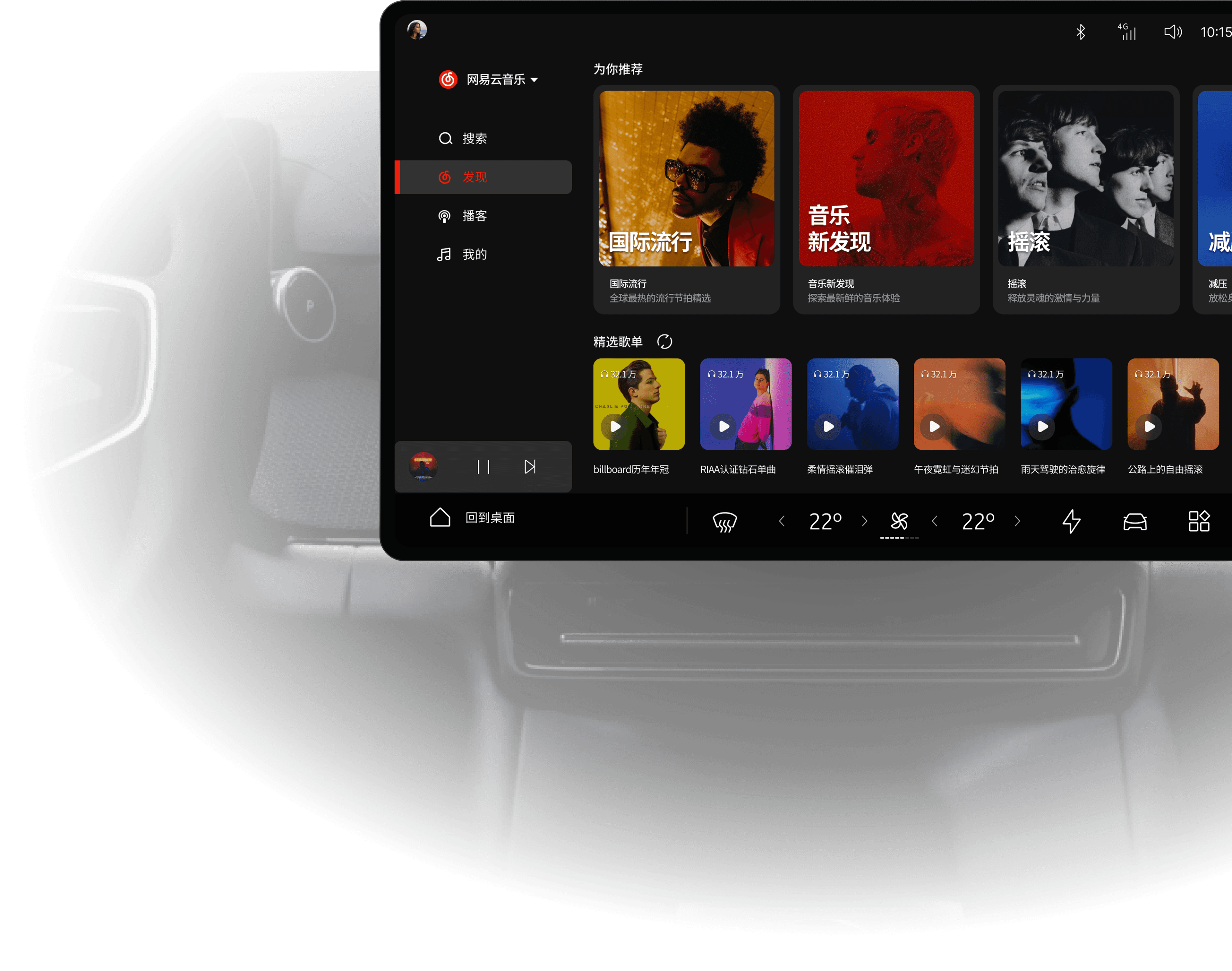
The main page is structured into distinct zones for effortless navigation, including a main navigation bar, smart recommendations, curated playlists, a 'Now Playing' bar, and a search function. This clear framework allows users to quickly locate and discover content.
Effortless Playback
By placing a play button directly on the album art, we significantly shorten the interaction path for a core user task. This 'one-touch' design reduces interaction time and minimises distraction, directly enhancing driver safety and operational efficiency.
Card-Based UI Design
The interface is built on a card-based design system, where each card acts as a self-contained block of information. This modular approach enhances usability and creates a strong visual hierarchy. It allows complex content to be simplified and organised, ensuring key information is always highlighted and interactions are intuitive.
Clear Track Information
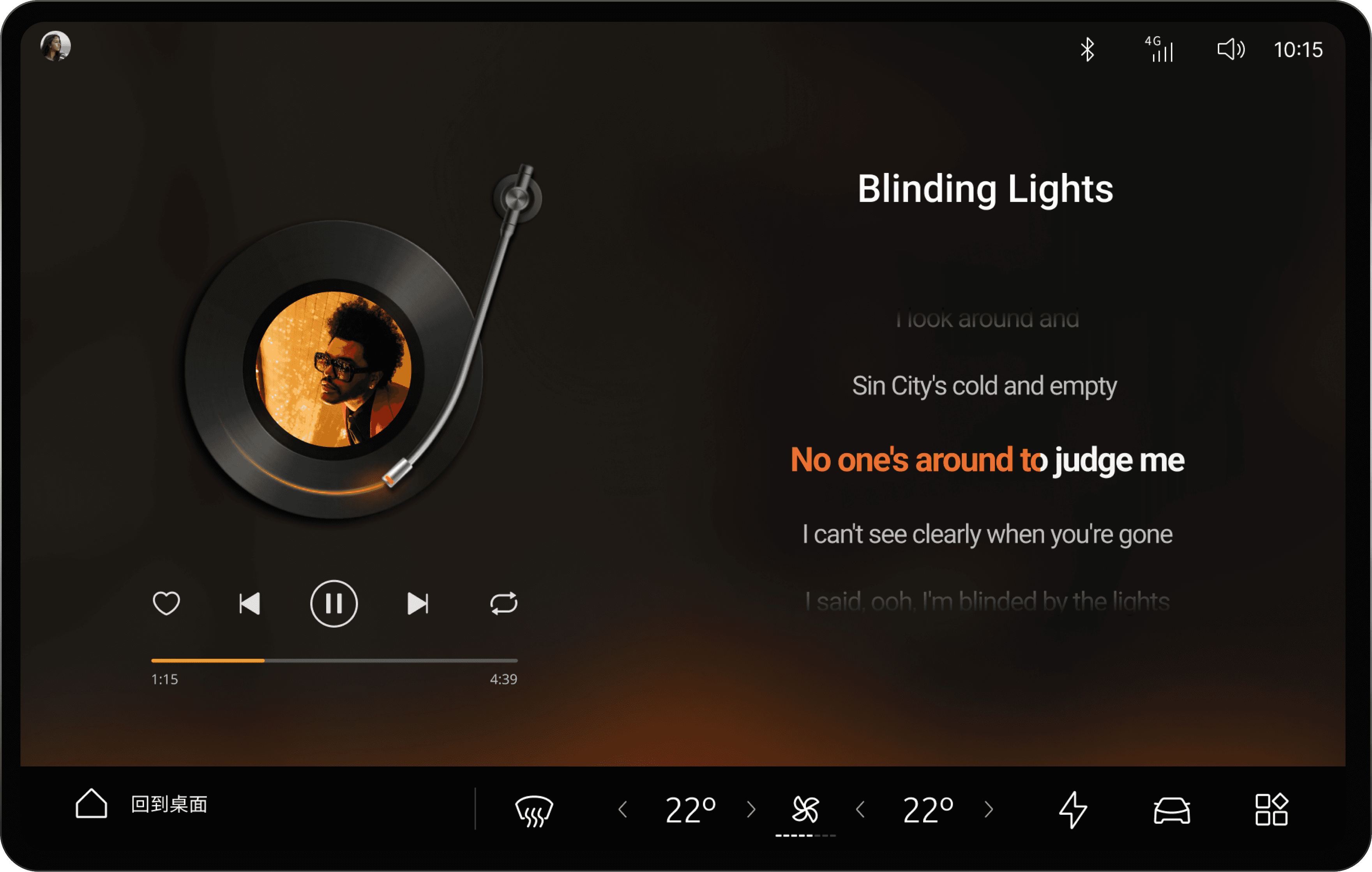
The interface displays comprehensive track information, including the artist, album art, and lyrics, providing a complete overview of the currently playing song.
Full Playback Control
All essential music controls are provided to ensure convenient operation. This includes standard functions like play/pause, next/previous track, and volume, as well as features like 'favourite', and repeat/loop modes.